Open source · MIT licensed

Self-hosted email forwarding,
finally managed.

Manage your Cloudflare Email Routing in one place.

Deploy to Cloudflare Open live panel
Free · MIT license · No credit card required · Your data stays in your own account
GSMV+ Processing real mail on inboxfly.email right now
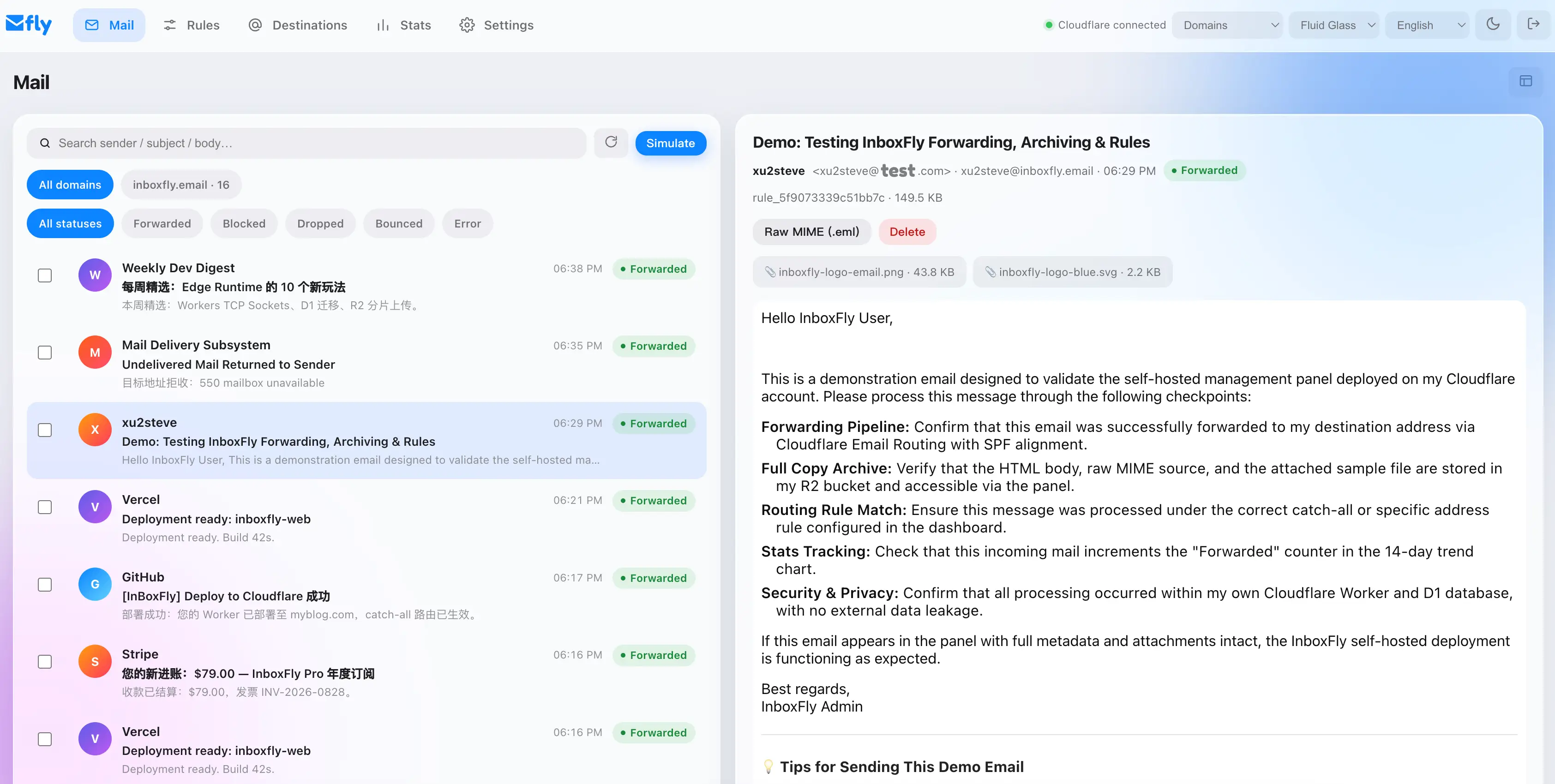
panel.inboxfly.email/#/mail
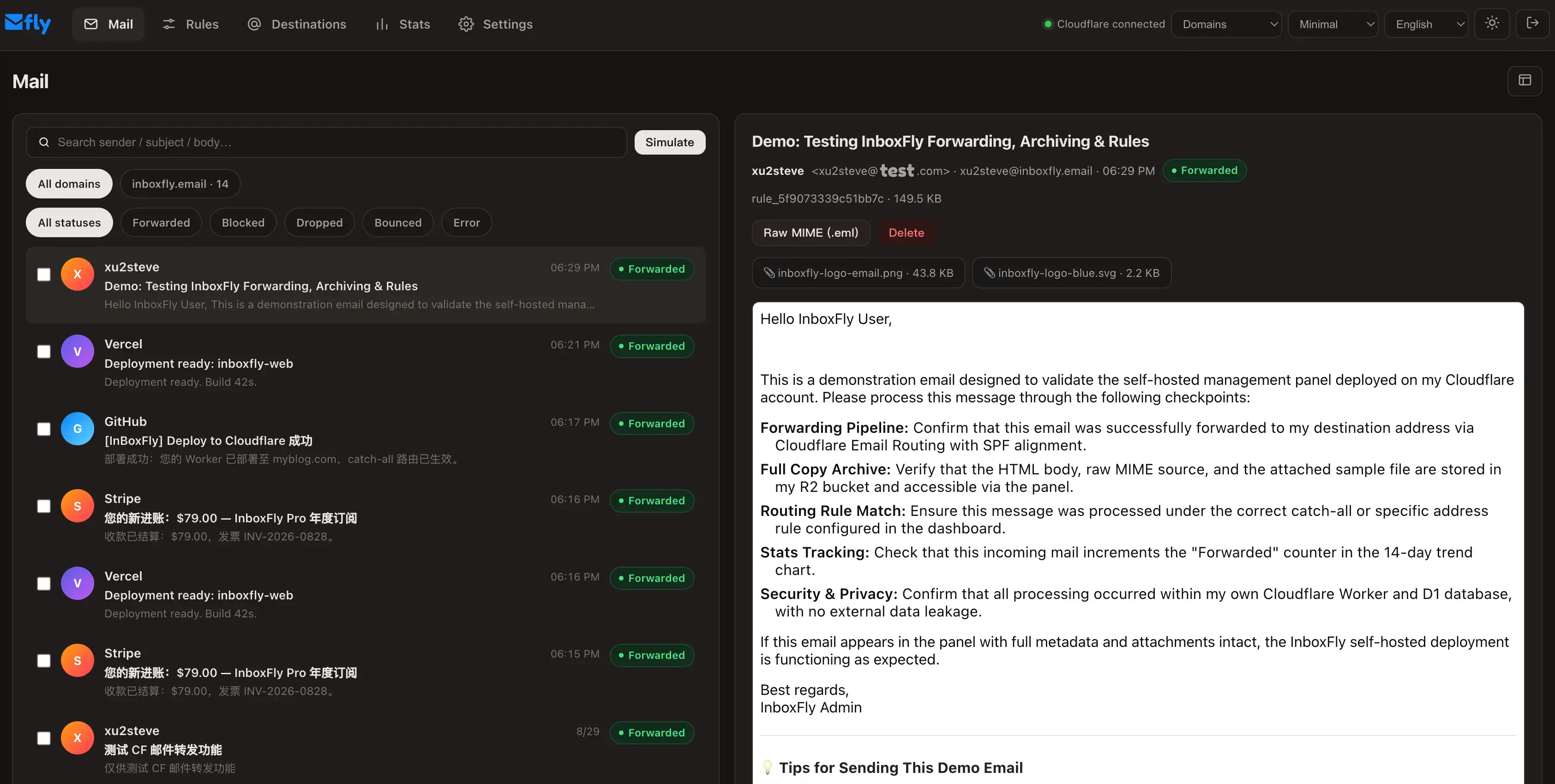
InboxFly panel — light InboxFly panel — dark
How it works

From zero to managed forwarding in 3 steps

No servers to maintain. Everything runs on Cloudflare's free tier, inside your own account.

Full walkthroughs — enabling Email Routing, verifying destinations, writing rules — are in the documentation.

1

Deploy to Cloudflare

One click deploys the Worker, database and storage into your own account. Your data never leaves your control.

2

Connect your domain

Enable Email Routing, verify a destination address, and set catch-all to the InboxFly Worker — the panel guides you through each step.

3

Mail gets managed

Every incoming mail is forwarded, archived with full copy and attachments, searchable, and counted in your stats.

Features

Everything Cloudflare Email Routing is missing

Rules that align with Cloudflare's own design, plus the management layer it never had.

Routing rules, CF-native

Exact addresses and domain wildcards with a catch-all fallback — designed to mirror Cloudflare's own rule page, so nothing surprises you.

10 languages

English, 简体中文, 繁體中文, 日本語, 한국어, Deutsch, Français, Italiano, Русский and Tiếng Việt — auto-detected, switchable anytime.

3 themes × light/dark

Fluid Glass, Minimal and Playful themes — each with a full dark variant, following your system by default.

Full copies & attachments

Every mail is archived with HTML body, raw MIME and attachments on your own R2 storage — downloadable anytime.

Stats that mean something

Forwarded, blocked, dropped, bounced and errors — per rule and per domain, plus 14-day trends.

Security built in

Cloudflare Turnstile on sign-in, PBKDF2-hashed credentials, sandboxed HTML rendering and CSRF protection — standard.
🌩 Cloudflare Email Routing gives you

  • Free email forwarding for your domain
  • Catch-all & simple address rules
  • World-class infrastructure, zero servers

✨ InboxFly adds the missing half

  • A real management panel — no dashboard clicking
  • Full copies: HTML, raw MIME, attachmentsenhancement
  • Bounce action — reject at SMTP levelenhancement
  • Sender blacklist, subject & size filtersenhancement
  • Search, batch actions and per-rule statsenhancement
FAQ

Frequently asked questions

Where does my data live?

In your own Cloudflare account — D1 database, R2 storage and the Worker all belong to you. InboxFly's panel is just an interface; revoke its API access anytime and your data stays.

What does it cost?

The software is free (MIT). Everything runs on Cloudflare's free tier: Workers 100k requests/day, D1 5GB, R2 10GB storage, Email Routing free. Beyond that, Cloudflare's standard rates apply.

Will forwarded mail land in spam?

Cloudflare Email Routing forwards via their own infrastructure with SPF aligned. Deliverability is generally good, but we publish sending-side guidance in the docs just in case. Note: "Forwarded" status means Cloudflare accepted it — the final mailbox placement isn't observable by any forwarding service.

Do I need to trust InboxFly with my mail?

No. Once deployed, mail flows directly through Cloudflare's Email Routing into the Worker in your account. The panel only manages configuration and displays stored copies — revoke its API token and the mail pipeline keeps running.

Cloud vs self-hosted?

Self-hosted (this page) runs on your own account for free. InboxFly Cloud — a hosted version with extra features like AI analysis — is coming soon. This site will switch to the Cloud homepage when it launches.

Get started

Your domain deserves
a real inbox manager.

Free · MIT · Your Cloudflare, your data
© 2026 InboxFly — open source under MIT